
Social Launch Visuals for SaaS Products: How to Make Screenshots More Clickable
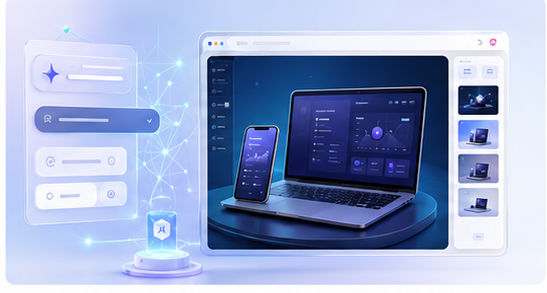
A SaaS launch post has to compete with everything else in the feed. People scroll quickly, and a plain screenshot can disappear even if the product is valuable. A stronger social launch visual frames the screenshot, adds context, and makes the product easier to notice. Mockups are one of the fastest ways to achieve this.
Why raw screenshots underperform
Raw screenshots often contain too much detail and not enough hierarchy. They may show small text, dense tables, sidebars, or settings panels that are hard to understand in a feed. A mockup helps by turning the screenshot into a designed asset with a clear focal point.
The goal is not to hide the product. The goal is to present it in a way that feels intentional. A viewer should immediately know that the image is showing software, an app, or a digital workflow.
Design for the feed first
Social visuals need to work at small sizes. Keep the mockup large, use strong contrast, and leave enough margins for platform cropping. Avoid placing important details near the edges. If you are using text in the image, keep it short and easy to read.
You can create these visuals in the Animock editor by uploading your SaaS screenshot and placing it in a clean 3D device or browser scene. Export different ratios for X, LinkedIn, blog posts, and launch galleries.
What to show in a SaaS launch visual
Show the part of the product that proves the launch message. If you are launching a new analytics feature, show the analytics view. If you are launching an AI assistant, show the assistant in action. If you are launching a new editor, show the editor canvas with a meaningful result.
A good launch visual should support the caption. The image and copy should feel like one message, not two separate pieces of content.
Create a launch asset set
Instead of making only one image, create a small set: a hero visual, a feature close-up, a before-and-after image, a tutorial cover, and a founder update image. This gives you enough material to post several times without repeating the same asset.
Using the same mockup style across the set makes the launch feel coordinated. It also helps your product become more recognizable as people see the campaign across multiple channels.
Improve SEO content with the same visuals
After the launch, reuse the mockups in SEO articles. A feature announcement can become a tutorial, a comparison article, or a use-case guide. The same visual system keeps the content connected and saves design time.
Want to make your SaaS screenshots more clickable? Open the Animock editor and create polished social launch mockups in minutes.
Better social visuals do not guarantee attention, but they give your product a stronger chance to be understood before the scroll continues.