
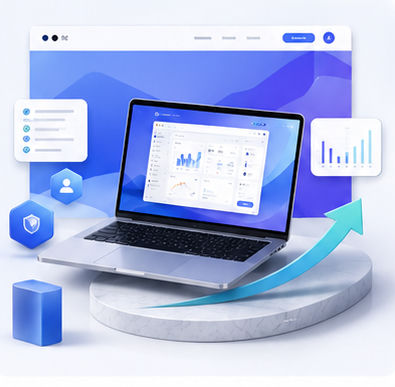
3D Device Mockups for SaaS Landing Pages: A Practical Guide
A SaaS landing page has only a few seconds to explain what the product is, who it is for, and why it matters. Copy is important, but visuals often create the first moment of trust. A 3D device mockup can turn an ordinary dashboard screenshot into a focused product story that helps visitors understand the value faster.
The role of mockups in SaaS conversion
Visitors rarely study every detail on a first visit. They scan the headline, check the visual, and decide whether the product looks relevant. A strong mockup helps answer the silent question: is this a real, polished, useful product? When the mockup shows an actual product screen in a believable environment, the page feels more concrete.
This does not mean every SaaS site needs dramatic 3D effects. The best mockups are often simple. They provide depth and context while keeping the interface readable.
Choosing the right product screen
The screen you place inside the mockup should match the promise in the headline. If the headline says the product saves time, show the workflow or automation view. If the headline focuses on analytics, show the dashboard. If the product is an editor, show the editing canvas rather than a settings page.
Before exporting your screenshot, create a demo state that looks clean and realistic. Empty dashboards, random placeholder text, or messy test data can weaken trust.
Designing a hero mockup
For a landing page hero, leave space around the device. The mockup should feel premium, not cramped. A gentle angle can add visual interest, but too much perspective may reduce readability. Use soft shadows and a subtle background gradient to separate the product from the page without overwhelming it.
Animock makes this type of asset easier to produce. Open the editor, upload your SaaS screenshot, choose a suitable 3D scene, then export a hero-ready visual for your website or campaign page.
Beyond the homepage
Once you create one strong SaaS mockup style, reuse it across pricing pages, feature pages, help articles, investor decks, and social announcements. This creates a consistent product identity and reduces the amount of design work needed for every new campaign.
For SEO, mockups are especially useful in comparison articles, feature tutorials, and use-case pages. They break up long text, demonstrate the product experience, and make each page feel more complete.
Ready to build your next visual? Open the Animock editor and create a polished mockup in minutes.
A 3D device mockup is not decoration. It is a conversion asset that helps SaaS visitors understand your product faster and remember it longer.