Turn Beta Product Screenshots into Launch Assets
Beta products are rarely visually perfect. The interface may still be changing, the onboarding flow may be incomplete, and the dashboard may contain placeholder data. But when you are preparing a launch, you still need visuals that communicate the product clearly. Mockups help turn beta screenshots into usable launch assets.
Why beta screenshots need careful presentation
A beta screenshot can look unfinished if it is placed directly on a landing page. Small UI issues, empty states, or rough edges can distract from the core value. A polished mockup frames the product in a more intentional way while still showing the real interface.
This is useful for early access pages, waitlists, founder announcements, investor updates, and community previews.
Select screenshots that show product value
Do not use a screenshot only because it is visually full. Choose screens that show what users can achieve. A generated result, completed workflow, useful dashboard insight, or improved content output is usually stronger than a generic settings page.
If the product is still early, use clean sample data. Remove private information, debug labels, and unfinished copy before creating the mockup.
Create launch assets quickly
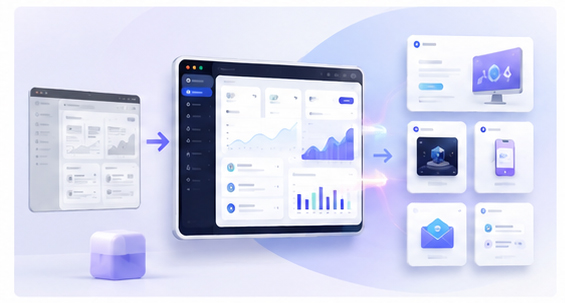
Open the Animock editor, upload your beta screenshot, and create a 3D mockup for your launch page or announcement. You can export hero images, blog covers, social graphics, and newsletter visuals from the same product screen.
This helps small teams move faster. Instead of waiting for a full brand design system, you can build a clean visual layer around the current product.
Match the asset to the launch channel
A landing page hero needs a wide composition. A Product Hunt gallery image needs a clear product story. A social post needs a strong focal point. A newsletter header needs to stay readable on mobile. Create variations from the same screenshot so each channel works properly.
One screenshot can become several launch assets when it is framed with the right mockup layout.
Avoid over-polishing the product
Mockups should improve presentation, not mislead users. Do not hide the product behind decorative layers. Keep the interface visible and honest. Early users often appreciate clarity more than excessive visual effects.
Build momentum before the full launch
Beta visuals can support a waitlist campaign, build-in-public updates, roadmap posts, and early user onboarding. Consistent mockups make the product feel more real while the team continues improving the actual interface.
Preparing launch assets from early screenshots? Use the Animock online editor to create polished mockups for your beta product.
A beta product does not need a huge design budget to look credible. It needs clear visuals that help people understand what is being built.