Product Hunt Launch Visuals: Create Better Screenshots and Mockups Fast
A successful Product Hunt launch depends on more than a good product. Visitors see your thumbnail, gallery, tagline, and first visual impression before they decide whether to click, upvote, or share. Strong mockups help your product look clear, trustworthy, and launch-ready even when your team is moving fast.
What launch visuals need to achieve
Your launch images should answer three questions quickly: what is the product, who is it for, and what does it help them do? A beautiful but vague graphic may attract attention, but it can fail to explain value. A good mockup balances polish with clarity by showing the real interface in a clean context.
For technical products, SaaS tools, AI utilities, and creator software, real screenshots are often the strongest proof. The key is to present them in a way that feels intentional instead of raw.
Build a simple launch image set
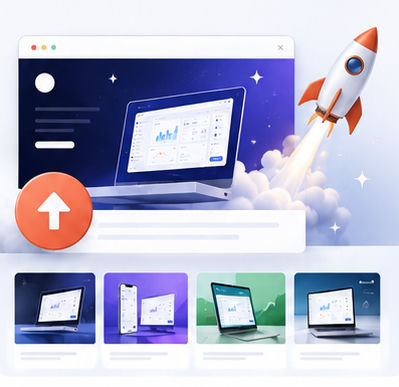
A practical launch set includes one hero mockup, two or three feature mockups, one workflow image, and one social sharing image. The hero visual should communicate the product category instantly. Feature mockups can focus on specific benefits such as faster editing, easier collaboration, or better export quality.
Create these assets from the same design system so your Product Hunt gallery feels cohesive. Consistent backgrounds, device angles, and spacing make the launch page feel more professional.
Speed matters during launch preparation
Launch week is usually busy. Teams are writing copy, testing onboarding, preparing emails, answering comments, and coordinating outreach. Visual production should not become a bottleneck. An online mockup tool allows the team to create polished visuals without waiting for complex design files to be updated.
You can use the Animock editor to upload screenshots, place them into modern mockup scenes, and export launch-ready images for Product Hunt, social posts, and blog announcements.
Common mistakes to avoid
Do not use screenshots that are too small to read. Do not place important content near the edge of the image. Do not use too many competing colors. Most importantly, do not make the mockup more important than the product. The viewer should notice the interface first and the design treatment second.
Before publishing, preview the images at small sizes. If the value is still clear in a thumbnail, the launch visual is much more likely to perform well.
Ready to build your next visual? Open the Animock editor and create a polished mockup in minutes.
Better launch visuals will not replace product quality, but they can help more people understand your product quickly enough to care.