Create Launch Teaser Images from App Screenshots with 3D Mockups
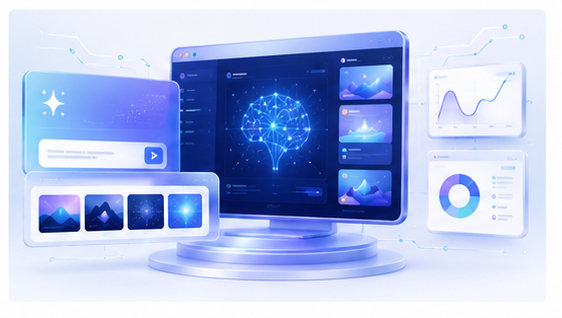
Before a product launches, every visual needs to create curiosity and trust. A launch teaser image can show enough of the product to make people interested without overwhelming them with details. Turning app screenshots into 3D mockups is one of the fastest ways to create polished teaser visuals.
Why launch teaser images work
A teaser image gives people something concrete to react to. Instead of saying “we are building a new productivity tool” or “our AI app is coming soon,” you can show a real product screen in a clean device or browser mockup. This makes the launch feel more real.
For waitlist pages and build-in-public posts, visuals can help people understand the direction of the product before they try it.
Show enough, but not too much
A teaser image should create interest. It does not need to explain the full product. Choose a screenshot that shows the main promise, a beautiful interface moment, or a result screen. If there are unfinished details, crop or compose the mockup so the strongest part is visible.
Do not use misleading visuals. The teaser should represent the actual product experience, even if the image is polished.
Create launch teaser mockups in Animock
Open the Animock editor, upload your app or web screenshot, and place it into a 3D mockup scene. You can create a hero image for a waitlist page, a square teaser for social media, or a wide image for a launch article.
The advantage of an online workflow is speed. As your product gets closer to launch, your screenshots may change. You can update the teaser image without rebuilding the entire design process.
Use teaser images across launch stages
In the early stage, use partial product views to create curiosity. During waitlist growth, show clearer workflow images that explain value. Near launch day, use full product mockups that support your main positioning and call to action.
This staged approach gives your audience a reason to pay attention more than once.
Design for different channels
A waitlist hero image may need a wide composition. X or LinkedIn posts may need square or landscape images. Community posts may work better with a simple image that loads quickly and explains itself without extra text. Export variations from the same mockup style so the launch feels consistent.
Keep the visual brand recognizable
Use consistent colors, device styles, and background gradients. Launch campaigns are short, but repeated visual cues help people remember the product. A recognizable mockup style can make your launch posts feel connected.
Preparing teaser visuals for your next product launch? Use the Animock online editor to turn app screenshots into polished 3D mockups for waitlists, launch posts, and product communities.
A good teaser image does not need to reveal everything. It needs to make the product feel real, useful, and worth following.