App Store and Website Preview Images: Build Consistent Mockups for Your Product
App preview images are more than screenshots. They are product promises. Whether someone discovers your product through a website, blog article, launch page, or social post, the preview image should show the app clearly and make the experience feel desirable. A consistent mockup system helps your product look professional across every touchpoint.
Why consistency matters
Many teams create screenshots only when they urgently need them. The result is a mix of different sizes, backgrounds, device frames, and visual styles. This inconsistency makes the brand feel less mature. A planned mockup system solves that problem by giving every image the same visual language.
Consistency is also helpful for small teams. Once you define your layout rules, anyone on the team can produce a new preview image without asking a designer to rebuild the format from scratch.
Pick screens that tell a story
Do not choose screens randomly. A good preview sequence shows a user journey: the problem, the main feature, the result, and the reason to trust the product. For example, a finance app might show overview, spending insight, budget alert, and monthly report. A creator tool might show upload, edit, preview, and export.
Each mockup should have a single focus. If one screen tries to explain too much, the viewer may miss the most important point.
Create reusable mockup layouts
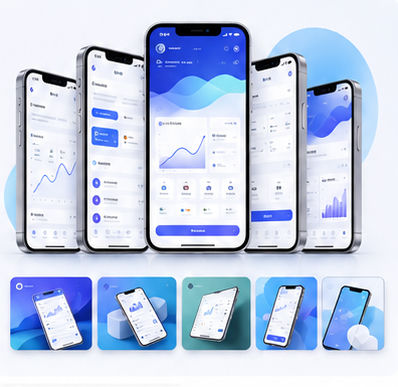
Build a few repeatable layouts: single phone, two phones side by side, phone plus browser, and large desktop preview. These layouts can cover most website and marketing needs. Use similar lighting, rounded corners, spacing, and background colors so the images feel connected.
With the Animock editor, you can quickly place screenshots into device scenes and export consistent assets for landing pages, blog covers, and social media posts.
Optimize preview images for SEO pages
When using mockups in SEO articles, make sure the image supports the article topic. A guide about app onboarding should show onboarding screens, while a page about analytics should show charts or dashboards. Relevant visuals increase perceived quality and help readers stay engaged.
Use descriptive file names and alt text in your website implementation. This improves accessibility and gives search engines better context about the image.
Ready to build your next visual? Open the Animock editor and create a polished mockup in minutes.
A consistent preview image system helps your product look trustworthy before the user even clicks the call-to-action.