
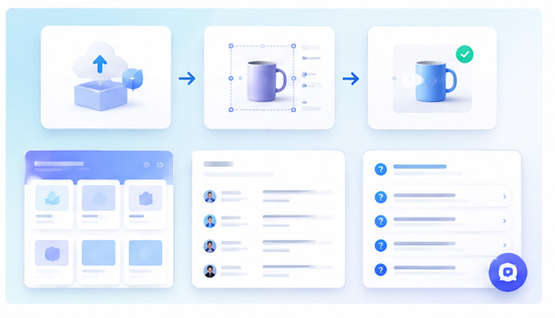
Website Section Mockups for Product Storytelling
A product website should do more than display a hero image. Each section can help tell a clearer story: what the product does, how it works, who it helps, and what outcome users can expect. Mockups are a practical way to make that story visual.
Why one hero image is not enough
Many websites place one large mockup at the top and then rely on text for the rest of the page. This can work, but it often leaves important sections feeling abstract. When mockups are used throughout the page, they help users connect each claim with a real product screen.
The result is a website that feels more concrete and easier to scan.
Map mockups to the product journey
Start by listing the key moments in the user journey. For example: upload content, customize the design, preview the result, export the asset, and publish it. Each moment can become a website section with a supporting mockup.
This structure is especially useful for tools, editors, SaaS platforms, AI apps, and creator products.
Create a consistent section visual system
Use the Animock editor to turn product screenshots into mockups with a consistent visual style. You can use similar perspective, background, shadows, and spacing across multiple website sections.
Consistency helps the page feel designed as one experience instead of a collection of unrelated screenshots.
Use different mockup types for different messages
A browser mockup works well for web apps. A phone mockup is better for mobile workflows. A layered composition can show before and after. A simple product card can highlight a final output. Match the mockup format to the message of each section.
Support SEO with useful visuals
Search visitors often scan before they read. Section mockups can help them confirm that the page matches their need. Use relevant alt text and file names, but avoid keyword stuffing. The image should be genuinely useful to the reader.
Keep the page focused
Too many large visuals can slow down the page and distract from the message. Use mockups where they clarify the product story. Combine them with concise copy, clear headings, and a direct call to action.
Planning a product website or landing page? Open the Animock online editor and create mockups for each important product story section.
When each section shows a real product moment, your website becomes easier to understand and more persuasive.