Mockup Workflow for Design Agency Client Presentations
Agencies and freelancers often need to present work before it is fully built. A website concept, app screen, campaign landing page, dashboard redesign, or product visual may need to look polished enough for client review. Mockups help turn flat screens into presentation-ready visuals.
Why client presentations need mockups
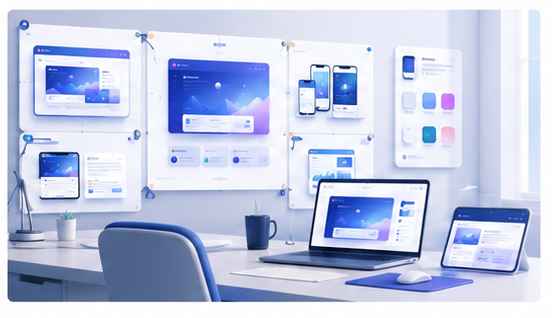
Clients do not always understand flat screenshots or isolated UI frames. They may need to see how the work feels in a real context: inside a browser, on a laptop, on a phone, or as part of a launch image. A mockup gives the design more context and can reduce confusion during review.
It also helps the agency present work with more confidence. The same screen can feel more premium when it is framed in a clean 3D scene.
Speed matters in agency work
Client work changes quickly. A headline changes, a screen is revised, a new color is tested, or a different device format is requested. If every mockup requires editing a complex template, presentation preparation becomes slow.
A browser-based workflow is more flexible. You can update screenshots, test compositions, and export visuals quickly.
Create client presentation mockups in Animock
Open the Animock editor, upload the design or product screenshot, and place it into a polished mockup scene. Agencies can use this workflow for website previews, app concepts, SaaS dashboards, landing page options, and social campaign visuals.
Because the workflow is online, it is easier to produce multiple variations for different clients, platforms, and presentation formats.
Use mockups to guide feedback
A good client presentation should guide attention. If you want feedback on the homepage hero, show that area clearly. If you want feedback on the app flow, show multiple phone screens in sequence. If you want approval on visual direction, use a clean composition that highlights the overall style.
Mockups should not hide unresolved design issues. They should make the work easier to discuss.
Create reusable agency templates
Agencies can save time by creating repeatable visual systems. Use similar device angles, background gradients, and spacing across client decks. This does not mean every client looks the same; it means the agency has a professional presentation process.
Deliver more polished assets
Mockups can also become deliverables. Clients may use them in launch announcements, investor updates, internal presentations, or early marketing pages. Providing mockup-ready visuals can increase the perceived value of the project.
Need a faster way to prepare client presentation visuals? Use the Animock online editor to create polished mockups from websites, app screens, and product screenshots.
For agencies, a strong mockup workflow is not only about better visuals. It is about faster iteration, clearer communication, and more professional delivery.