
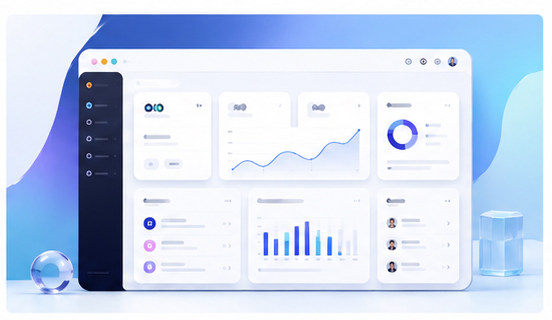
Clean UI Showcase Images for Modern Web Apps
A modern web app needs more than screenshots. It needs product visuals that make the interface look clear, useful, and trustworthy. Clean UI showcase images help visitors understand the product before they read every feature description.
Why raw screenshots often feel unfinished
A raw screenshot may show the real product, but it can also look flat or messy when placed directly on a landing page. Browser tabs, inconsistent crop sizes, private data, and empty whitespace can reduce the perceived quality of the product. A mockup gives the screenshot a stronger presentation layer.
The goal is not to make the product look fake. The goal is to frame the real interface in a way that is easier to understand and more visually consistent.
Start with one clear interface moment
Before creating a UI showcase image, decide which product moment matters most. Is it a dashboard insight, an editor canvas, a project overview, a workflow automation screen, or a final export result? A focused screenshot is usually more powerful than a full interface capture with too many details.
For marketing pages, clarity beats completeness. The visitor should immediately recognize what kind of product they are seeing.
Turn screenshots into polished mockups
You can use the Animock editor to upload a web app screenshot and place it inside a clean 3D browser, laptop, or desktop-style composition. Adjust the layout so the interface remains readable while the mockup adds depth and polish.
This is useful for teams that publish frequent website updates, feature pages, tutorials, or release notes. A repeatable mockup workflow keeps the visual style consistent across the entire site.
Design principles for UI showcase images
Use a light background when you want a clean SaaS style. Use subtle gradients when the page needs more energy. Keep shadows soft and avoid heavy effects that compete with the screenshot. Make sure the main UI area is large enough to understand on smaller screens.
If the interface includes detailed charts or text, avoid steep perspective angles. A mockup that looks impressive but cannot be read may not help conversion.
Where to use UI showcase mockups
Clean showcase images work well on homepage hero sections, feature landing pages, product comparison articles, pricing page side visuals, changelog posts, email banners, and social launch graphics. They help create a consistent product identity across channels.
Build a reusable visual system
When your website uses the same mockup style across multiple pages, users begin to recognize the product faster. Consistency makes a small team look more professional and reduces the design work needed for each new article or campaign.
Need to create a clean web app showcase image? Open the Animock online editor and turn your latest screenshot into a polished 3D product visual.
Good UI showcase images make the product easier to understand. They also help your website feel more complete, even when your team is still moving fast.