
Browser-Based Mockup Editor for Founders: Create Product Visuals Without a Design Team
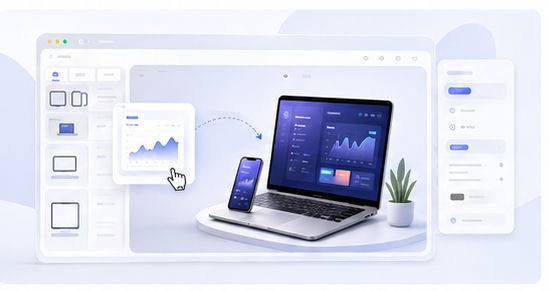
Founders often need marketing visuals before they have a design team. A landing page needs a hero image. A launch post needs a strong preview. A pitch deck needs product screenshots that look credible. A browser-based mockup editor gives founders a fast way to create those assets without installing heavy software or learning complex template systems.
Why browser-based matters
Speed matters in early-stage product work. When an idea changes, the visual assets need to change too. A browser-based workflow lets you upload a new screenshot, adjust the scene, and export a new mockup quickly. This is useful when you are testing positioning, updating a landing page, or preparing a launch campaign.
It also reduces dependency. A founder, marketer, or product manager can create a clean visual without waiting for a designer to update a source file.
What founders should show
Do not show a random screenshot just because it looks full. Show the screen that communicates value. For a SaaS product, this may be the dashboard, workflow builder, report view, or editor. For a mobile app, it may be the onboarding result, main action screen, or success state.
Animock is built for this type of workflow. Open the browser-based editor, upload your screenshot, and create a 3D mockup that can be used across your launch materials.
Use mockups to test positioning
A mockup can reveal whether your product story is clear. Try pairing the same screenshot with different headlines. Does the visual still support the message? If not, you may need a better product screen or a simpler composition. This makes mockups useful not only for design, but also for positioning.
For example, a workflow screenshot may be better for a productivity claim, while an analytics screen may be better for a visibility claim. The right image makes the copy easier to believe.
Build a lightweight visual library
Founders should create a small asset library: homepage hero, product feature mockup, social announcement visual, blog cover, and pitch deck image. These five formats cover most early marketing needs. Keeping them visually consistent makes the product feel more established.
You can update this library whenever the product changes. Because the workflow is browser-based, the cost of refreshing visuals stays low.
Final publishing checklist
Before publishing, check readability, cropping, file size, and consistency with your brand colors. Make sure the product screen is not too small. Confirm that the image still works on mobile. A polished mockup should reduce confusion, not create more of it.
Ready to create founder-friendly product visuals? Start with the Animock editor and build your next product mockup online.
For founders, speed and clarity are often more valuable than complicated design tools. A browser-based mockup editor helps you get both.