3D Mockups for Online Course and Tool Tutorials
Software tutorials are easier to follow when the visuals are clear. Whether you are creating an online course, a product walkthrough, a blog tutorial, or a help center article, mockups can make screenshots look more organized and easier to understand.
Why tutorial visuals matter
A tutorial is not only a set of instructions. It is a learning path. Readers need to recognize where they are in the interface and what action they should take next. Raw screenshots can work, but they often feel inconsistent when captured at different sizes or placed without visual structure.
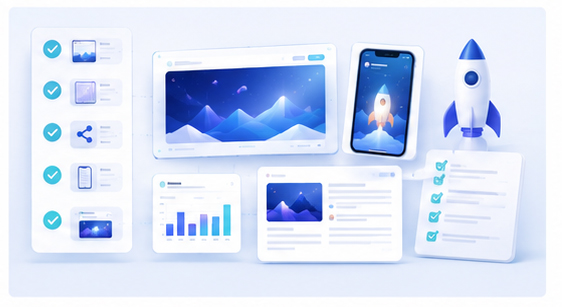
A 3D mockup can highlight the product screen and make the tutorial feel more polished, especially for landing pages, course thumbnails, and lesson introductions.
Use mockups at the right moments
Not every screenshot in a tutorial needs to be a 3D mockup. Step-by-step instructions often work best with simple cropped screenshots. Mockups are most useful for section openers, lesson covers, feature summaries, and before-and-after examples.
This keeps the tutorial practical while still giving it a professional visual identity.
Create tutorial images in Animock
With the Animock editor, you can upload a tool screenshot, place it into a browser or device mockup, and export a visual for your tutorial. This is useful for course creators, documentation writers, indie makers, and product marketers who need better images without spending hours in design software.
You can create one hero image for the tutorial and several supporting images for key concepts. Keeping the same mockup style across lessons helps the course feel consistent.
Make the screenshot readable
Tutorial readers need clarity. Do not rotate the screen so much that menus and buttons become hard to see. Keep the important part of the interface large and centered. If the tutorial is about a specific tool panel, crop or compose the image so that panel is visible.
A beautiful mockup that hides the learning target is not useful. The mockup should support understanding.
Use mockups for course promotion
If you sell or share an online course, mockups can also improve promotional assets. A course landing page can show the tool being taught. A YouTube thumbnail can show the product screen in a polished frame. A blog post can use a mockup as its cover image.
Build a visual system for tutorials
Choose a consistent style for all tutorial visuals. Use similar backgrounds, device frames, and spacing. This makes your educational content feel like a complete learning product instead of disconnected screenshots.
Need better visuals for a software tutorial or online course? Use the Animock online editor to create clean 3D mockups from your screenshots.
Clear tutorial visuals help users learn faster, trust the content more, and remember the product experience better.