
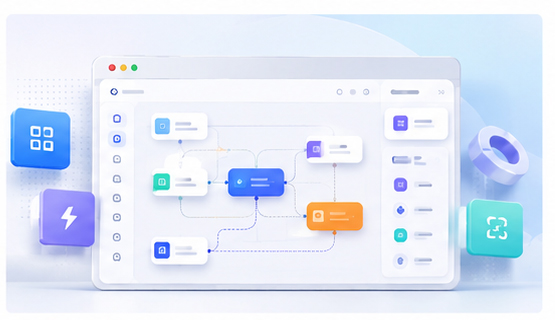
3D Mockups for No-Code Tool Marketing Pages
No-code tools often solve complex workflow problems, but their interfaces can be difficult to explain with text alone. A builder canvas, automation rule, template library, or integration flow may need visual context before a visitor understands the value. 3D mockups can help make that workflow easier to grasp.
Why no-code products need contextual visuals
No-code users care about speed, flexibility, and confidence. They want to know whether the tool can help them build something without writing code. If the website only describes features, visitors may not understand how the tool actually works. A mockup can show the interface in action.
For example, a workflow builder can be shown inside a browser mockup with connected nodes. A template marketplace can be shown as a polished gallery. A form builder can be shown beside the final published form.
Show the workflow, not only the dashboard
The most effective no-code visual usually shows a creation process. Instead of using a generic dashboard, choose a screenshot that shows blocks, steps, components, or outputs. This helps the visitor understand that the product is interactive and practical.
When possible, show the result together with the builder. A before-and-after style mockup can communicate value faster than a long paragraph.
Create no-code mockups in the browser
With the Animock editor, you can upload screenshots from your no-code tool and turn them into polished browser or device mockups. This gives you launch-ready visuals for landing pages, product updates, SEO articles, and social posts.
Because no-code tools evolve quickly, a browser-based mockup workflow is practical. When the builder UI changes, you can update the visual without recreating a complex template file.
Use mockups for template and use-case pages
No-code products often rank well with use-case pages. Examples include “build a landing page without code,” “create an automation workflow,” or “launch a client portal.” Each page can use a mockup that matches the specific use case. This makes the page more relevant to search intent.
A template page can show the template preview in a device frame. A workflow article can show the automation builder. A comparison page can show how the no-code workflow is simpler than a traditional approach.
Keep the visual approachable
No-code marketing should feel accessible. Avoid overly technical diagrams or crowded screenshots. Use clean backgrounds, readable interface areas, and simple visual hierarchy. The mockup should make the product feel easier, not more complicated.
Build trust through consistency
When every use-case page has a consistent mockup style, the product feels more mature. This is helpful for independent makers, small SaaS teams, and agencies selling no-code services.
Want to present your no-code tool more clearly? Use the Animock online editor to create polished 3D mockups from your product screenshots.
A clear mockup can make a no-code workflow feel real, understandable, and ready to use.