Online 3D Mockup Maker for Startup Launches: Build Better Product Visuals Fast
A startup launch is often judged in seconds. Before visitors read your full product description, they see your hero image, launch post, thumbnail, or product preview. If that visual is only a raw screenshot, the product can feel unfinished even when the actual software is useful. An online 3D mockup maker helps founders turn simple screenshots into polished product visuals that look ready for a real launch.
Why launch visuals matter for early-stage products
Early-stage teams usually do not have a large design department, a studio photography budget, or weeks to create campaign assets. But they still need the product to look trustworthy. A clean mockup adds structure, depth, and context. It shows the product inside a device frame or browser scene, helping people understand that the screenshot belongs to a real interface.
This is especially important for SaaS tools, AI products, mobile apps, browser extensions, creator tools, and developer products. In these categories, the product experience is mostly digital, so the screenshot becomes the main proof of value. A good mockup makes that proof easier to recognize.
A simple startup mockup workflow
Start with one strong screenshot. Choose a screen that directly supports your launch message. If your headline promises faster content creation, show the editor. If your product helps teams track work, show the dashboard. Avoid empty states, debug data, and overly complex settings pages.
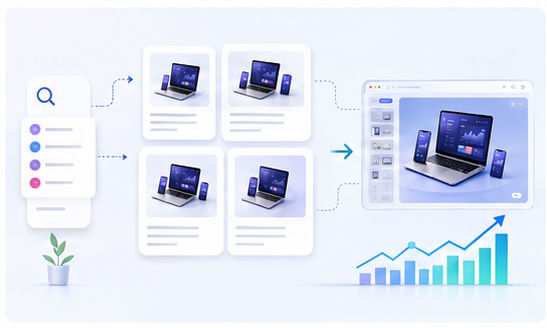
Next, place the screenshot into a device or browser scene. With Animock, you can open the online 3D mockup editor, upload your product screenshot, adjust the layout, and export a visual that is ready for your website or launch post. This keeps the workflow fast and does not require Photoshop templates.
How to make a launch mockup look premium
The best launch mockups are focused. Use one main product screen, leave enough breathing room, and keep the background clean. Soft gradients, glassmorphism accents, and subtle shadows can add energy, but they should never make the interface hard to read. The product remains the hero.
Color alignment also matters. If your brand uses blue and cyan, keep the scene in a similar range. If your product is minimal, use a lighter background and fewer decorative objects. Consistency helps your launch assets feel more professional across Product Hunt, X, LinkedIn, newsletters, and landing pages.
Where to use your startup mockups
One mockup can be reused in many places: homepage hero sections, blog covers, onboarding pages, investor updates, YouTube thumbnails, changelog images, social carousels, and paid ad tests. This makes the asset more valuable than a one-off graphic.
For SEO, mockups can also improve the perceived quality of your content. A blog article with a clear product visual feels more complete, earns more attention, and helps readers understand the topic before they scroll.
Ready to create your launch visual? Start from the Animock editor and turn your screenshot into a polished 3D mockup in minutes.
A startup does not need a complicated design pipeline to look credible. It needs a repeatable way to produce sharp, consistent, product-first visuals.