Mockup Workflow for Startup Waitlist Pages
A waitlist page has one job: convince visitors that the product is worth following before it is fully available. Copy matters, but visuals often decide whether the idea feels real. A product mockup can help turn a simple waitlist page into a more credible early access experience.
Why waitlist pages need product context
Many waitlist pages use abstract gradients, icons, or generic illustrations. These can look nice, but they may not explain the product. If visitors cannot understand what they are joining, they are less likely to sign up.
A mockup gives the product shape. It shows the interface, the workflow, or the expected result. This helps visitors imagine using the product before they have access.
Use the most believable screen
If your product is still being built, choose a screenshot or prototype that represents the core experience honestly. It could be a dashboard preview, editor canvas, mobile app screen, or generated output. Avoid showing a screen that looks more complete than the actual product will be.
Trust is important for early access. A clean mockup should make the idea clearer, not create unrealistic expectations.
Create a waitlist hero mockup
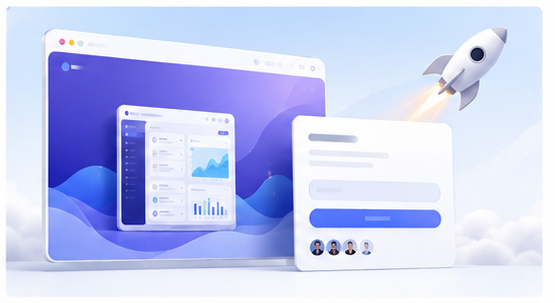
Open the Animock editor, upload your product preview, and create a wide 3D mockup for the hero section. The mockup should support the headline and make the waitlist offer easier to understand.
For example, if the headline promises faster product videos, show a video creation interface. If the headline promises better app screenshots, show a polished app mockup. The visual and message should work together.
Use mockups below the fold
Beyond the hero section, mockups can explain key benefits. One section might show the creation workflow. Another might show the final output. A third might show the product in use on different devices. These visuals can reduce the need for long explanations.
Repurpose waitlist visuals for social growth
The same mockup can become a build-in-public image, founder update, newsletter header, or community post. Consistent waitlist visuals help people recognize the product across channels and remember the launch.
Focus on clarity over complexity
A waitlist page does not need a huge visual system. It needs one or two strong product visuals that communicate the idea quickly. Keep the mockup clean, readable, and aligned with the page message.
Building a startup waitlist page? Use the Animock online editor to turn your product preview into a polished waitlist mockup.
A clear product mockup can make an early idea feel more tangible, which can help more visitors decide to join the waitlist.