
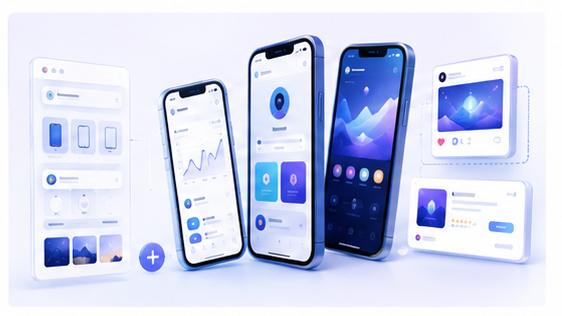
How to Make Product Roadmap Update Images with 3D Mockups
Roadmap updates are important, but they are often published as plain text. Teams announce what shipped, what improved, and what is coming next, yet the visual presentation may not match the importance of the update. A strong roadmap image can make product progress feel more concrete and easier to share.
Why roadmap visuals matter
Users want to know that a product is active. Investors, early adopters, community members, and customers all look for signs of progress. A clean visual update can show momentum without requiring readers to scan a long changelog first.
For SaaS and creative tools, roadmap updates often include interface improvements. Showing the updated screen inside a polished mockup makes the progress more visible and credible.
Use screenshots as proof of progress
Instead of making a generic roadmap banner, start with actual product screenshots. Show the feature that shipped, the improved workflow, or the new dashboard. If the update includes multiple changes, combine two or three screens in a layered composition.
This approach makes the roadmap feel grounded. Readers can see that the update is not just a plan; it is connected to real product work.
Create the image in Animock
With the Animock editor, you can upload product screenshots, place them into 3D device or browser mockups, and export a roadmap update image for your blog, changelog, newsletter, or social channels. The workflow is faster than creating a new design from scratch for every update.
If your product has monthly or weekly updates, a repeatable mockup workflow can save a lot of time while keeping every announcement visually consistent.
Design for clarity first
A roadmap image should not be overloaded. Focus on one main message: shipped, improved, upcoming, or in progress. If you need to show several items, organize them with a clear visual hierarchy. The most important feature should appear largest or closest to the viewer.
Use the mockup to create structure. A browser frame can show a dashboard update. A phone mockup can show a mobile release. A laptop scene can make a bigger product milestone feel more substantial.
Where roadmap mockups work best
Roadmap mockups can be used in public changelogs, build-in-public updates, indie maker newsletters, community posts, investor updates, feature recap articles, and launch roundups. They are especially useful when you want one image to summarize progress quickly.
Keep the style consistent over time
If every update uses a completely different visual style, your product communication can feel scattered. Choose a consistent background, shadow style, and device angle. This helps your audience recognize updates from your product immediately.
Want to create a polished roadmap update image? Open the Animock online editor and turn your latest product screenshots into a shareable 3D mockup.
Good roadmap communication is not only about what you say. It is also about how clearly you show progress.