
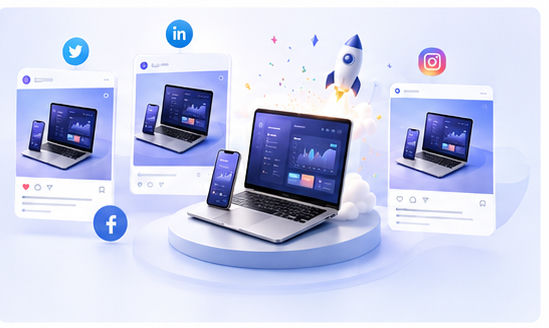
How to Create Marketing Images for AI Tools with 3D Mockups
AI tools are often difficult to explain with text alone. The value may live inside a prompt box, generated output, workflow screen, dashboard, or editor canvas. A raw screenshot can show the interface, but it may not make the product feel clear or memorable. A 3D mockup gives the screenshot a stronger visual frame and makes the tool easier to present in marketing content.
Why AI products need better visuals
Many AI products compete in crowded categories: writing assistants, image tools, coding agents, video generators, research tools, automation platforms, and design helpers. Users may see dozens of similar claims every day. A polished mockup helps your product stand out by making the experience tangible.
The goal is not to make the product look bigger than it is. The goal is to show the real interface in a cleaner, more attractive way. This builds trust because viewers can see what they are actually getting.
Choose screens that communicate value
For AI writing tools, show the input and output side by side. For AI image tools, show a before-and-after workflow. For coding agents, show the task, generated code, or project panel. For automation tools, show the workflow builder or result dashboard. The screenshot should make the product benefit obvious without needing a long caption.
After selecting the screen, open the Animock editor and place it into a suitable 3D device or browser mockup. A browser-based scene often works well for AI tools because it suggests accessibility and speed.
Build a consistent AI product visual system
AI brands often use gradients, glowing details, and futuristic accents. These can work well, but they should be controlled. Too many effects can make the visual look generic. Use your product colors as the foundation, then add subtle depth through lighting, shadows, or glass-like panels.
For a launch campaign, create several related images: one hero mockup, one feature explanation mockup, one comparison image, one tutorial cover, and one social post image. Keeping them visually connected makes the campaign feel more professional.
Use mockups across your content funnel
Mockups can support your homepage, feature pages, SEO articles, help center posts, newsletters, X threads, LinkedIn posts, Product Hunt gallery, and YouTube thumbnails. Each channel may need a slightly different crop, but the same visual system can power all of them.
For SEO articles, a mockup can clarify the topic instantly. If your article is about “AI video editing workflow,” the cover should show the editing interface in a premium scene. This improves the reader’s first impression and helps the article feel more useful.
Need a fast way to create AI product visuals? Use the Animock editor to turn your AI tool screenshots into polished 3D mockups.
In a category where many products sound similar, a clear product visual can become one of your strongest marketing advantages.