Best Mockup Generator for Social Media Creators: Turn Screenshots into Better Visuals
Social media rewards clarity, speed, and strong first impressions. Whether you are sharing a new app, promoting a digital product, explaining a feature, or posting a tutorial, a plain screenshot often feels unfinished. A mockup generator helps you turn that screenshot into a visual that looks designed, branded, and ready to publish.
Why creators need mockups
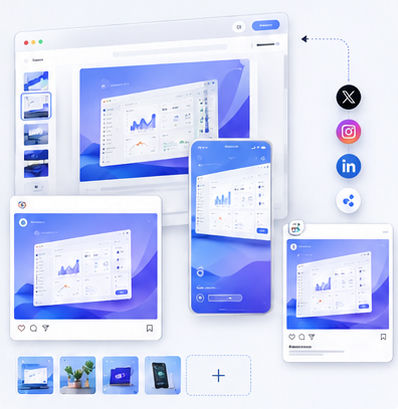
Creators often work across many platforms: X, LinkedIn, Instagram, YouTube thumbnails, newsletters, and blog posts. Each platform has different image sizes and different attention patterns, but the goal is the same: communicate value quickly. A mockup creates a clean frame around your product and makes the image easier to understand at a glance.
Instead of designing every post from scratch, you can build a repeatable visual system. Use a consistent device angle, similar backgrounds, and a recognizable composition. Over time, your audience learns to associate that style with your brand.
What makes a good social media mockup
A strong social media mockup should be readable on small screens. Avoid tiny interface details, keep the main product area large, and leave safe margins around the edges. Many platforms crop previews differently, so a centered composition is usually more reliable than placing the key content too close to the border.
The image should also create contrast. A clean white or light background works well for professional software brands, while soft gradients can add energy without making the post look noisy. With the Animock editor, you can quickly test different compositions before exporting the version that feels most shareable.
Use cases for creators
A newsletter writer can use mockups to show a dashboard, template, or resource library. A YouTuber can turn a software screenshot into a thumbnail asset. A founder can share product progress with a more polished visual than a raw screen capture. A designer can present portfolio work inside a device frame that feels premium but not distracting.
Mockups are also useful for educational content. When explaining a workflow, a visual preview helps readers understand what they will learn before they click. This can improve engagement because the image is doing part of the explanation.
Build once, reuse often
The fastest creators do not reinvent their visual language every day. They build a small library of layouts: one for feature announcements, one for tutorials, one for comparisons, one for launches, and one for blog covers. Then they only swap the screenshot and adjust the headline or background.
Animock fits this workflow because it reduces the friction between idea and final image. Instead of opening a heavy design file, you can create a clean mockup directly in the browser and keep publishing momentum high.
Ready to build your next visual? Open the Animock editor and create a polished mockup in minutes.
A good mockup generator is not just a design tool; it is a content production shortcut for creators who need to publish consistently.