App Website Hero Image Mockup Guide: Make Your Product Look More Trustworthy
The hero section is one of the most important areas of an app website. It sets the first impression, supports the headline, and helps visitors decide whether the product is worth exploring. A strong hero image mockup can make the app feel more concrete, more polished, and more trustworthy.
What a hero image should do
A hero image is not just decoration. It should show the product, support the promise in the headline, and create confidence. For a productivity app, it might show a clean dashboard. For a mobile app, it might show the most valuable screen inside a phone. For a web editor, it might show the canvas or workflow that users will interact with.
The image should answer a simple question: what will I experience if I try this product?
Choose the right mockup layout
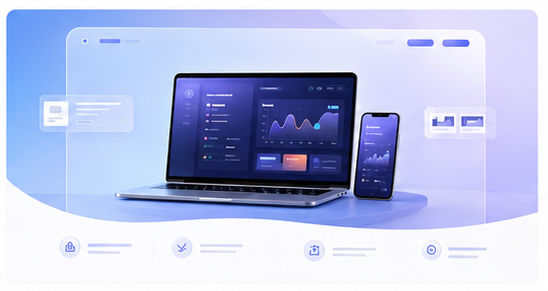
A single device mockup is best when the product has one primary experience. A multi-device mockup works when responsive design is part of the story. A browser mockup is ideal for web-based tools, dashboards, and SaaS products.
With the Animock editor, you can upload your app screenshot, choose a 3D scene, adjust the angle, and export a hero-ready image for your website. This makes it easier to test several layouts before committing to one.
Balance beauty and readability
Many hero images fail because they look impressive but are impossible to read. A dramatic 3D angle can be useful, but the key product screen should remain recognizable. Keep the interface large, reduce clutter, and use background effects only to support the product.
Use lighting and shadows to separate the device from the background. Use color to guide the eye. But avoid effects that make the image feel like a generic tech graphic instead of a real product preview.
Make the hero image responsive
Your hero image may appear on desktop, tablet, and mobile. Create a composition that still works when cropped or scaled down. Keep the main screen near the center and leave safe margins around the device. This prevents important details from being cut off on smaller screens.
For mobile website layouts, you may need a simpler version of the hero mockup. A single device usually performs better than a complex scene when screen space is limited.
Use hero mockups beyond the homepage
Once you create a strong hero style, reuse it on feature pages, blog articles, onboarding screens, and social posts. This helps your product feel visually consistent and makes future content production faster.
Need a better hero image for your app website? Use the Animock editor to turn your screenshot into a polished 3D mockup.
A clear hero mockup can make your product easier to understand before a visitor reads a single feature list.